Download Puntersure Tips APK for Android
Get Today's free tips + Automatic Bet Slip Builder
Match predictions, analysis, and a one-tap bet slip builder. No Play Store account needed.
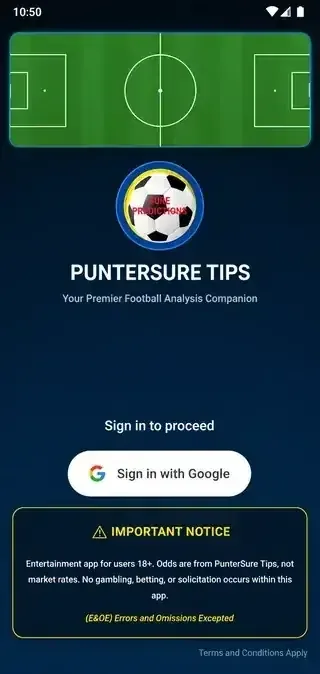
Set up in under 2 minutes
Download the app
Tap the button above. The file (23.5 MB) saves to your Downloads folder.
Open the file
Open your Downloads folder and tap puntersure.apk.
Install & open
Tap Install, wait a few seconds, then tap Open to see today's tips.
Seeing a security prompt or "blocked" message? Tap for a quick fix ▾
Android may ask you to allow installs from your browser first. Go to Settings → Security → Install unknown apps, select your browser or file manager, and toggle Allow from this source. Then reopen the downloaded file and tap Install.
Before you install
Android 7.0+
Nougat or higher
100 MB free
Storage space
Internet
Wi-Fi or mobile data
Signed APK
Not on Play Store
Frequently Asked Questions
How do I install the Puntersure Tips APK on Android?
Download the APK, then open the downloaded puntersure.apk file, tap Install, then tap Open. If Android blocks it, allow installs from your browser under Settings → Security → Install unknown apps first.
Is the APK safe to install?
Yes. The APK is signed and built directly from our development environment. Only download it from this official page so you never get a modified version.
Is Puntersure Tips available on the Google Play Store?
No, Puntersure Tips is available as a direct APK download for Android. Tap the download button on this page to get it.
What Android version do I need?
Android 7.0 (Nougat) or higher, plus about 100 MB of free storage and an internet connection.
Is the app free, and is there an iOS version?
The app is free to download and use. It currently supports Android only — there is no iOS version at this time.
Football analysis you can actually follow, free
Free daily predictions, match analysis, and an automatic bet slip builder.
Download Now Prefer Telegram? Add our free tips bot instead →